
Seedance 2.5 Prompt Library
Explore production-ready prompts for cinematic scenes, branded videos, social content, and reference-guided motion.
Utilisez et hébergez sans inscription ce modèle Texte vers Image, gratuit et open source. La génération nécessite une Flaq Client Key et du crédit API.
Un puissant workflow de création d'images IA pour transformer des idées écrites en visuels détaillés, conçu pour une forte compréhension des prompts, une sélection de modèles flexible, une composition nette et une itération créative rapide.
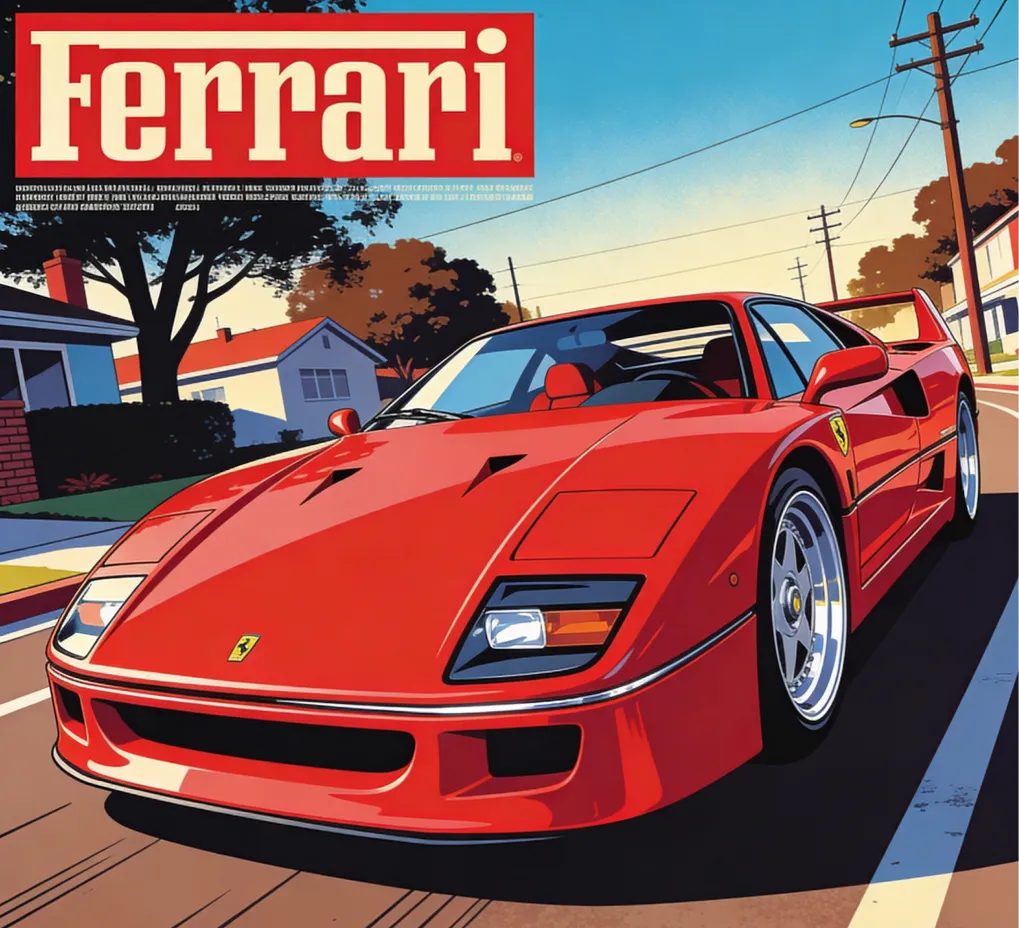
A sleek red Ferrari F40 sports car, angled front-left view on a road, action of being prominently displayed on a vintage magazine cover, dynamic low-angle shot, sun-drenched lighting with soft shadows, pop art color scheme with dominant reds, blues, and browns, retro graphic design style mixed with flat illustration, urban street scene in the background with trees, houses, and utility poles, smooth polished car body, detailed chrome accents, vibrant energetic mood, high-quality vector art, sharp crisp lines.
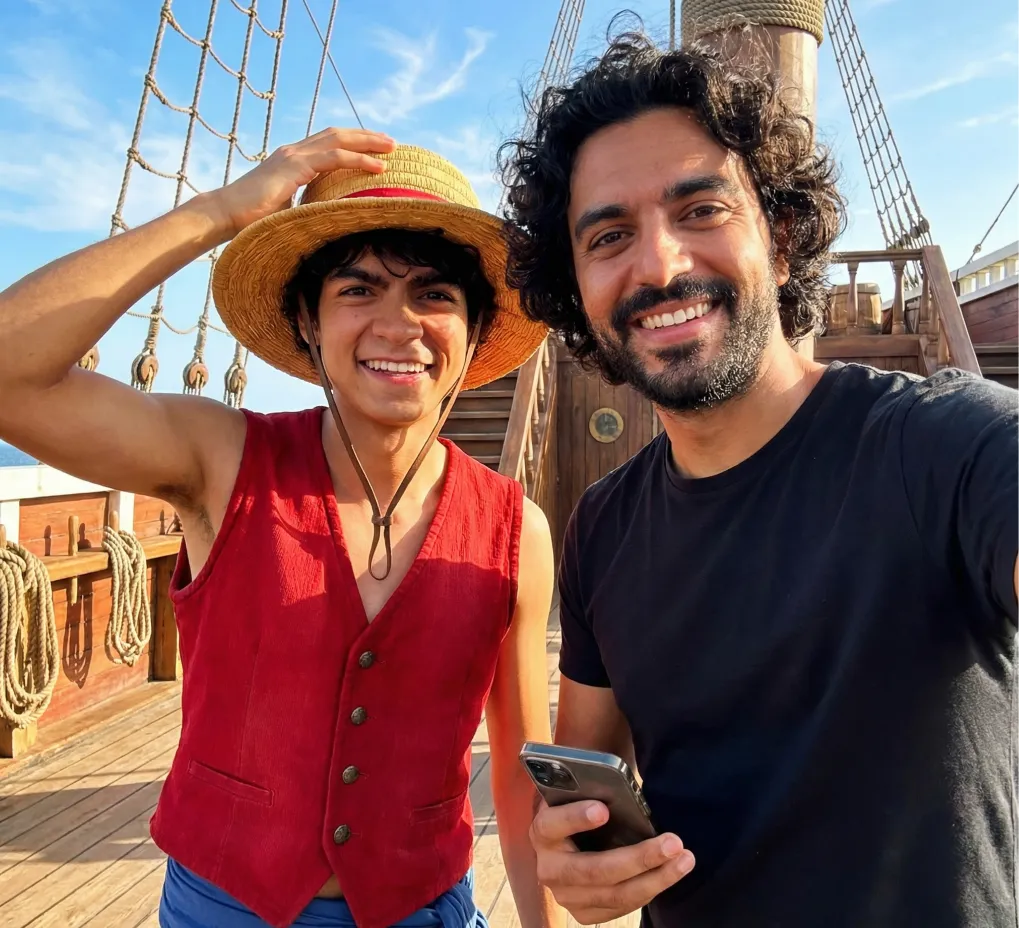
Realistic Style, Place Monkey D. Luffy next to the man, smiling widely with his straw hat tilted. Use a Thousand Sunny deck background with bright blue sky. Keep the selfie composition intact and integrate both characters naturally.
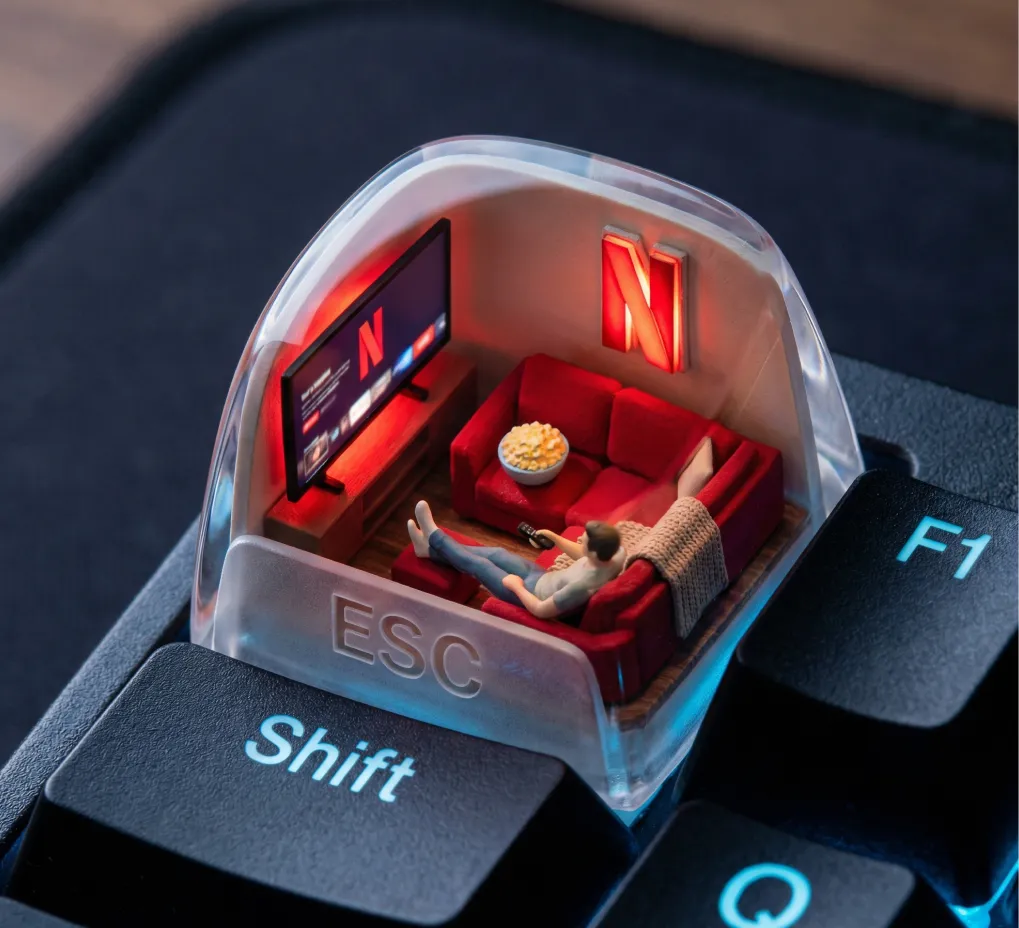
A photorealistic ESC keycap scene shows a miniature cozy living room setup. Inside: a glowing red Netflix screen, a plush red couch, popcorn bowl, and throw blanket. A small figure lounges with feet up, watching content. The red “N” logo glows from behind like mood lighting. Outside: cool tech-blue reflections on F1, Shift, and Q keys. The word “ESC” is subtly present in a glassy fog on top of the cap.
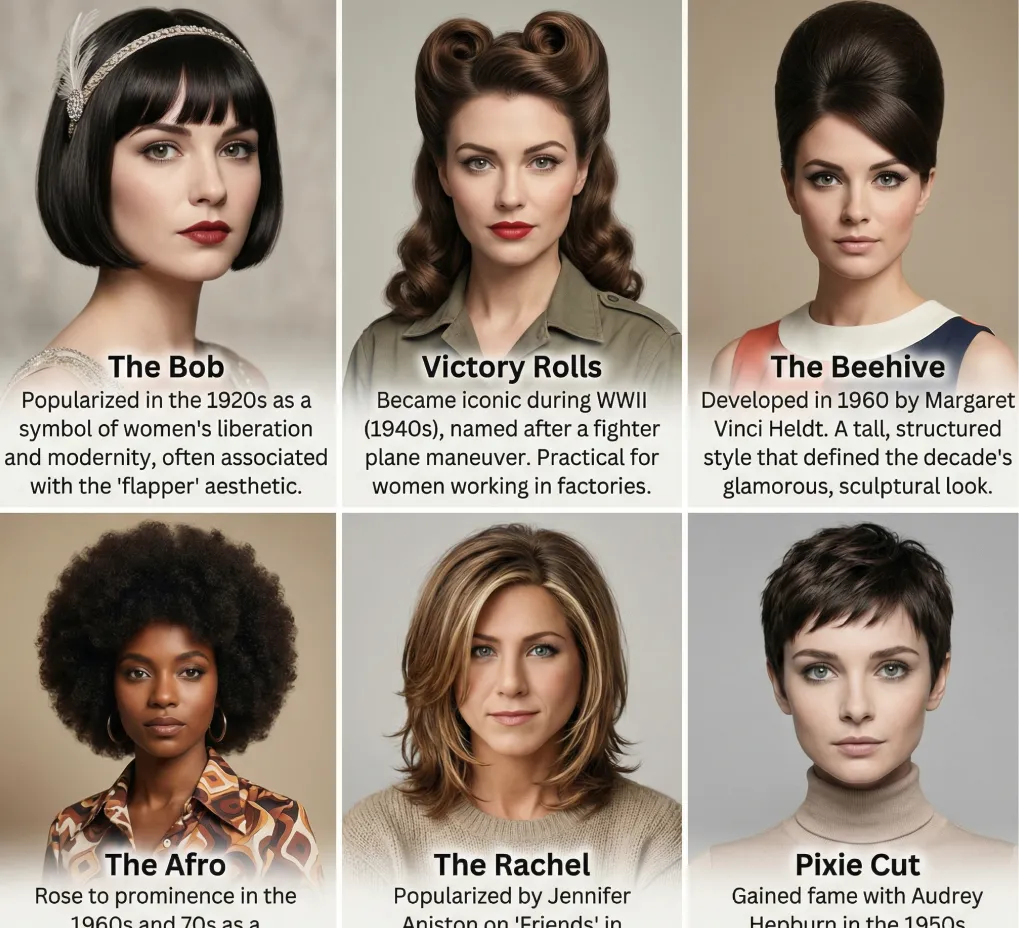
Create a grid of 6 different hairstyles for this women. List the name of each hairstyle and the brief history about the hairstyle. They can be from any era.
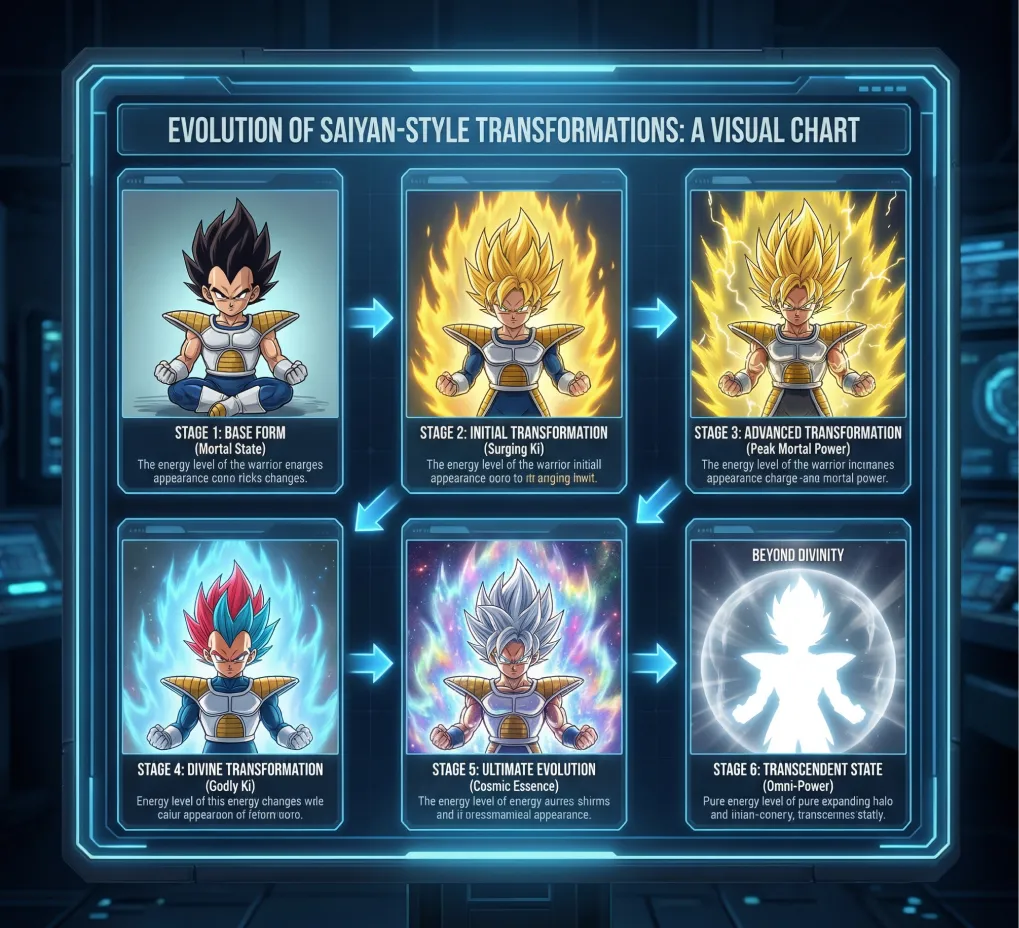
Create a detailed visual chart showing the full evolution of “Super Saiyan–style transformations”, using an original Saiyan-inspired warrior, depicted in multiple stages from base form to divine transformations.
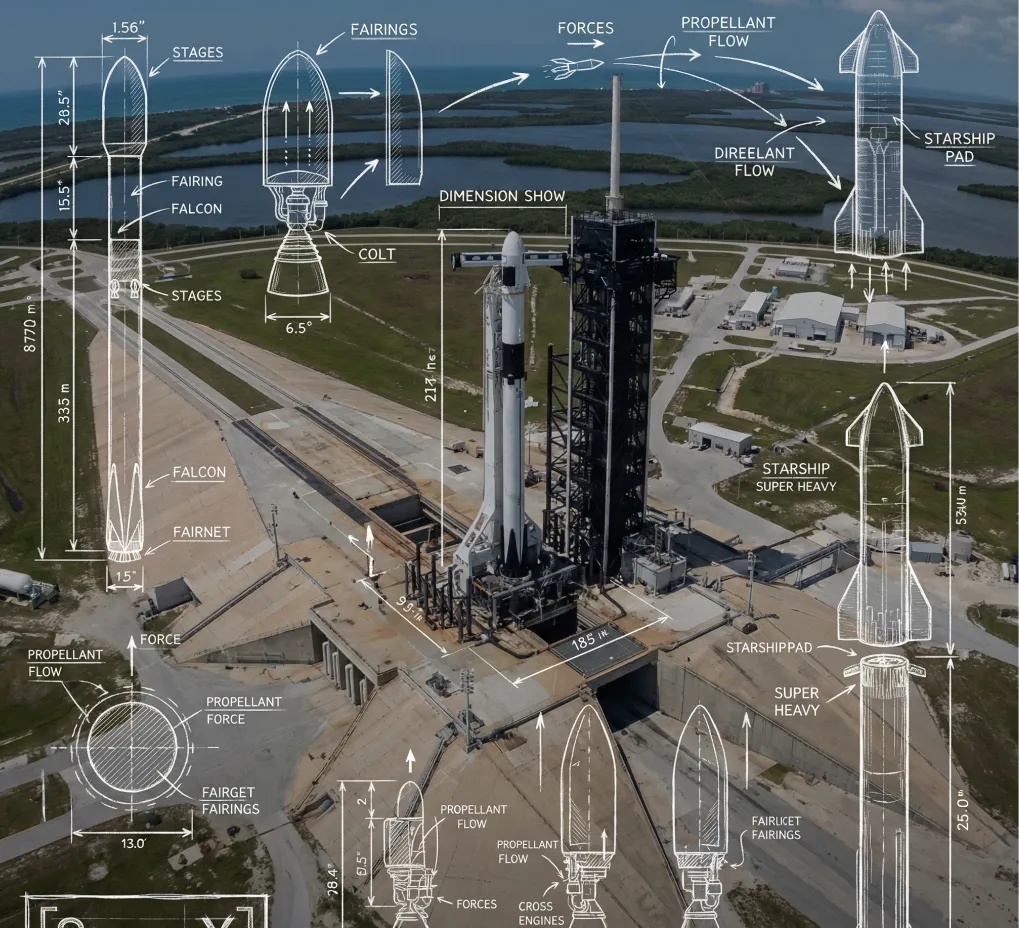
A high-angle, wide-angle real-world photograph of **[SPace X]** serves as the background, overlaid with detailed white technical engineering schematics and blueprint lines. The style resembles white hand-drawn chalk or pencil sketches drawn directly onto the photograph. Key elements include: dimension lines with measurement values labeling **[key dimensions of the subject]**, directional arrows indicating **[forces, motion, or flow]**, detailed cross-section diagrams of **[internal components]**, and exploded views of **[complex assemblies]**. Key features are annotated with neat, handwritten text labels. Aesthetic style: educational science diagrams, industrial design analysis, clean, precise, mixed-media. In the lower-left corner, include a hand-drawn, blueprint-style logo inside a sketched frame, with the text “**[Space X]**”.
Open curated prompt libraries for popular image and video models, then adapt complete examples to your own creative workflow.
Explore production-ready prompts for cinematic scenes, branded videos, social content, and reference-guided motion.

Browse detailed prompts for expressive characters, product stories, cinematic sequences, and fast-moving video concepts.

Find adaptable prompt ideas for realistic motion, visual storytelling, advertisements, and imaginative video generation.

Discover structured image prompts for design exploration, illustration, marketing visuals, and precise creative direction.

Flaq AI Model Market
Continue to the Flaq AI Model Market to discover additional image, video, language, and creative AI options with documentation for each supported workflow.
Visit the Model MarketProgramme d’affiliation
Recommandez Flaq.ai aux créateurs, développeurs et équipes qui s’intéressent à la génération d’images et de vidéos, aux API de modèles, aux workflows créatifs et aux intégrations pour développeurs. Gagnez 20 % de commission sur la première commande payée valide d’un utilisateur recommandé, puis 10 % sur ses commandes payées valides suivantes dans les 60 jours après son inscription.
Commencer à gagnerThe core advantages of Text to Image AI lie in automating the traditionally complex, high-barrier image creation process, enabling users to rapidly obtain high-quality visual results while maintaining realism and creativity.
AI rapidly transforms text into images, dramatically reducing time costs for creators.
The generated images maintain consistency in overall composition, color, and detailed features, faithfully reproducing both meaning and fine details.
Supports natural language text inputs, platform templates, or AI auto-generated supplementary materials—catering to all levels of experience and diverse needs.
Whether you're a designer, content creator, product team, developer, or brand owner, easily create ready-to-use image assets for a variety of applications.
Utilisez Flaq AI Text to Image Generator chaque fois que vous avez besoin d'images originales à partir de mots, sans préparer d'image de référence ni construire un workflow de design complexe.
Générez des concepts de campagne, scènes produit, visuels de lancement, publications sociales, idées de miniatures et variations publicitaires directement depuis un brief créatif écrit.
Transformez moodboards, directions visuelles, notes de style, idées d'emballage et concepts de mise en page en brouillons soignés pour accélérer revue et itération.
Créez des visuels de cours, illustrations de concepts, schémas, images explicatives et ressources de présentation qui rendent les informations abstraites plus faciles à comprendre.
Développez personnages, plans cinématographiques, environnements, affiches, couvertures, scènes de worldbuilding et œuvres narratives à partir de descriptions textuelles détaillées.
Text to Image features a simple and intuitive workflow—no design experience required. Just enter your text description and the system automatically analyzes the semantics to generate the corresponding visual image.
Décrivez l'image souhaitée, notamment le sujet, le décor, le style, l'éclairage, la composition, l'ambiance, les couleurs, l'angle de caméra et tout texte à afficher.
Sélectionnez un fournisseur et un modèle adaptés à votre objectif créatif, puis définissez ratio, résolution, qualité, seed ou optimisation de prompt lorsque le modèle choisi les prend en charge.
Cliquez sur générer, examinez le résultat image, ajustez votre prompt ou vos paramètres, puis téléchargez l'image finale dans les formats pris en charge comme JPG, PNG ou WebP.